 Dulini Mendis
Flow State
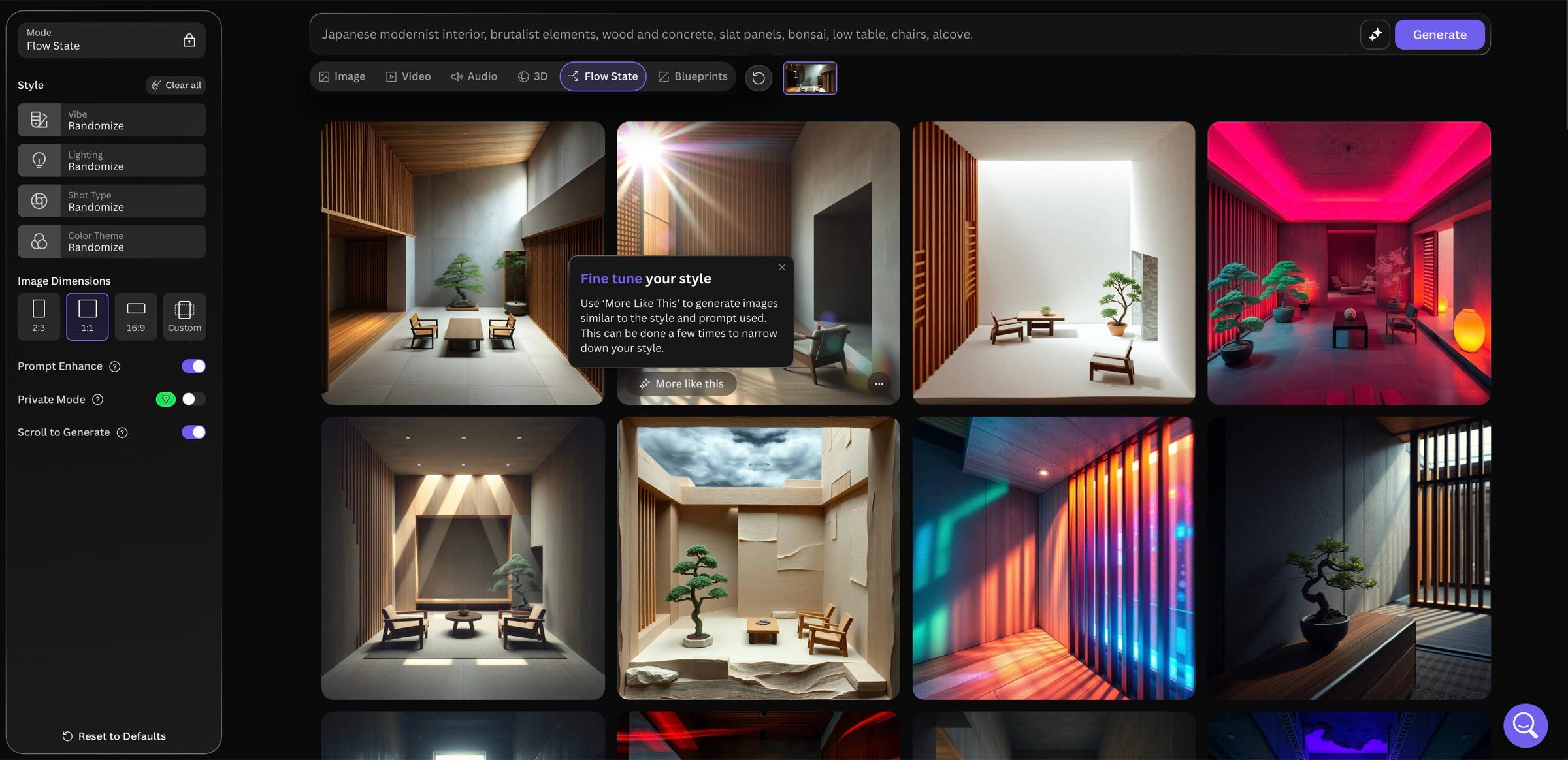
Type a rough idea and scroll through an endless stream of images based on it. Made for exploring before you know exactly what you want.
Built with
- TypeScript
- React
- Next.js
- Client-side rendering
- GraphQL
- XState
The story
Context
Most image generators expect you to already know what you want. You write a careful prompt, wait, and get back a handful of pictures. That's fine when you have a clear image in your head. When you're still figuring it out, it's slow going.
Flow State works the other way round. You type a rough idea and start scrolling, and new images keep appearing almost as fast as you can scroll, each one a different take. Simple controls for vibe, lighting, camera angle and colour let you nudge the overall feel.
When something catches your eye, you hit More Like This and the stream fills up with versions closer to that image. Do it again on one of those and you get closer still. You start broad, with wildly different looks, and keep narrowing until you're only fiddling with the small details. It's made for the messy early stage of a creative idea.
What I did
I joined Leonardo partway through Flow State, and the project was pretty chaotic at that point. I got up to speed fast and helped the squad finish it. That meant fixing bugs, getting it out the door, and bringing some calm and clarity to a project that badly needed it.
Two things made it tricky. It had to feel instant, with new images showing up in under five seconds. And every image costs the user a token, Leonardo's credits, so the app can't race ahead and make hundreds of images nobody sees. Images are only made as you scroll towards them.
Under the hood, it was a Next.js app written in TypeScript and React. It ran entirely in the browser (client-side rendering) and used GraphQL to talk to the backend. The hardest part was keeping track of everything happening at once: images loading as you scroll, the trail of steps as you dig into an image, and the stream starting over whenever you change the prompt or style.
XState handled that by describing the feature as a state machine. Think of it as a map of every situation the screen can be in, and exactly how it gets from one to the next. With that many moving parts, having the map written down makes the feature far easier to reason about and to debug.
Outcome
Flow State launched in December 2024 for everyone, free and paid. It sits on Leonardo's home page right next to the main prompt bar, and speed was the headline when Leonardo's founder talked about it in the press.